HashOut

Avoid Man-to-Man Deals at Work

Tips for better successful management of business deals and reduce risk of failure.If you are planning to ask for a pay rise or want to secure a business deal, try to bargain with someone of the opposite sex.

European researchers have found that women negotiate better with men and vice versa, but that both men and women become over-competitive when dealing with someone of the same gender.

Talks between a mixed-gender pair lead to significantly more co-operation, resulting in mutually beneficial business outcomes, the researchers say.

They suggest that companies can use this knowledge to their benefit, by strategically selecting the gender of their representatives. » Continue reading

Read more on , ,

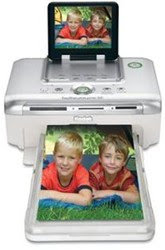
Tips for printing Digital Photos

Tips to print Digital PhotosCapture great memories and moments with tips on printing digital photos.

Fan your paper first
Before you put it into the paper tray, bend the stack and run your finger along the edge. This ensures the sheets feed flawlessly.

Select the right paper setting
Many HP photo printers with optical sensors for paper type allow you to select the actual name of the paper you are using. Use it to enhance paper feed and print quality.

Don't stack your photos
Don't stack your photos before they are totally dry. This may cause the photo below to stick onto the back of the one above.

Leave them to dry before storing
Resist the temptation to slot your phtos into a photo album the moment they are printed. Air them in a cool place to dry them before storing.

Keep them protected
Exposing your photos to air and moisture causes them to fade or turn yellow. Store your photos in an album or photo frame to protect them.
» Continue reading

Read more on , , ,

How to spot an email hoax

How to filter an internet hoax.
The Internet is a great way to share information, but also to spread lies and mischievous nonsense. When you get an unsolicited email, these warning signs, from urbanlegends.about.com, should ring alarm bells:
  1. The text was not originally written by the person who sent it to you.
  2. Phrases such as "This is NOT a hoax..."
  3. ...Or "Forward this to everyone you know."
  4. Overly emphatic language or heavy use of CAPITALS and exclamation marks!!!!!!!!
  5. Language that seems more geared to persuade than to inform.
  6. Claims to offer important information you've not heard before from legitimate sources.
  7. Subtle jokes that might suggest leg pulling.
  8. No reference to outside sources nor links to websites with corroborating information.
  9. Replies with "Re:" in the subject title from people you haven't written to.
» Continue reading

Read more on , , ,

First e-Impressions

Email Tips, Tricks, Techniques, Rules, Regulations & LawsFew careers can now do without email. How effectively do you deal with it? Take this true-or-false quiz to find out!
  1. Emails should be short.
  2. The subject line should be short.
  3. All messages should be marked urgent so people will read them.
  4. You should respond to email messages within 24 hours.
Answers:

  1. True. People don't have time to read pages of material on a screen. If your message is longer than screen-length, send it a different way.
  2. False. With so much spam around, many people won't open an email unless they know who it's from or the subject is clear. Writing hi, or leaving the subject line black, leaves the reader confused.
  3. False. People will know you always do this and won't consider your e-mail urgent, even when it is.
  4. True. If you don't have the info, send an email to acknowledge you got their message and let them know when you'll have the info.
» Continue reading

Read more on , , ,

Speeding up a sluggish computer

Speed up a slow broken computerSteps to take before spending money on costly upgrades.
Empty the trash. Files dragged to the trash icon may be out of sight, but they continue to eat up valuable space. Only when the trash is emptied is space freed up.

Restart your computer. Even when you quit a program, large ones may continue to siphon off memory. Restarting (or "rebooting") adjusts this problem.

Fix fragmented files. Over time, files on your hard drive may become fragmented, i.e. a file may be broken up into pieces and written on different far away locations on the hard disk drive, requiring more time to read the file from the hard disk drive. Most PCs come with a defragment program. In Windows you can find it under Programs > Accessories > System Tools > Disk Defragmenter.

Purge old e-mail files. Many e-mail programs save copies of every message you send. Empty or reduce this backup file to free up hard-drive space. If necessary, ask your e-mail service to help locate the files.

Switch off start-ups. Programs that support instant messaging and calendars begin running as soon as you start your computer and use up its resources. You're better off turning them on as needed.
» Continue reading

Read more on , ,

Straighten out your cyberkids

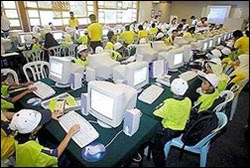
Health and Fitness exercises and tips for cyber kids.A recent Australian study found that 60% of children using computers at school showed early signs of repetitive strain injury. Here are some at-your-desk exercises for young PC-users. (Do them gently; if you feel pain see your doctor.)
  1. Stretch your arms above your head and spread your fingers. Then lower your arms so they're straight out in front. Hold for a few seconds.
  2. Push the bottom of your right palm against the top of your left palm, so you feel a stretch along the underside of your left forearm. Repeat on the other side. Now do it pushing on the backs of your palms.
  3. In a chair with your back straight, look over your right shoulder. Then slowly move to look over your left shoulder. Go back to the center and nod slowly three times. Then turn your head in a "no" motion three times. Finally stretch as if laying your head on each shoulder.
  4. Keep your hips forward and turn to look behind on each side, placing your arm across the back of the chair, stretching your back.
  5. Push your chin forward to stretch the jaw and neck.
  6. Sitting, roll each shoulder forward and around then back and around. Then lift each shoulder up to your ear and down.
» Continue reading

Read more on ,

Cat walk on the keyboard

Cats walk, dance, jump on the keyboard and uninstall software and crash the computerCats and computers don't mix. Any cat owner will tell you kitties like to walk, jump or sprawl on keyboards in just such a way as to uninstall software or even crash your computer. "For some cats, keyboards are like New Age sandals with rubber nubs pointing upwards onto their soles. Shiatsu for cats, maybe," says computer programmer Chris Niswander, inventor of PawSense, a program that can sense when a cat depresses multiple keys. One or two paw steps are enough for the software to block access to computer and emit anticat sounds -- a variety of annoying noises performed by Niswander. You can also record your own message such as "Bad kitty!"

You might also be interested to read:
» Continue reading

Read more on , ,