
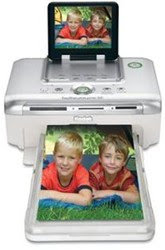
 Capture great memories and moments with tips on printing digital photos.
Fan your paper first
Before you put it into the paper tray, bend the stack and run your finger along the edge. This ensures the sheets feed flawlessly.
Select the right paper setting
Many HP photo printers with optical sensors for paper type allow you to select the actual name of the paper you are using. Use it to enhance paper feed and print quality.
Don't stack your photos
Don't stack your photos before they are totally dry. This may cause the photo below to stick onto the back of the one above.
Leave them to dry before storing
Resist the temptation to slot your phtos into a photo album the moment they are printed. Air them in a cool place to dry them before storing.
Keep them protected
Exposing your photos to air and moisture causes them to fade or turn yellow. Store your photos in an album or photo frame to protect them. » Continue reading
Read more on Computers, Digital Cameras, Photography, Tips and Tricks


 Few careers can now do without email. How effectively do you deal with it? Take this true-or-false quiz to find out!
 Steps to take before spending money on costly upgrades.
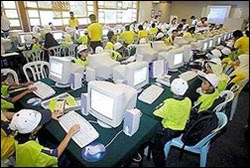 A recent Australian study found that 60% of children using computers at school showed early signs of repetitive strain injury. Here are some at-your-desk exercises for young PC-users. (Do them gently; if you feel pain see your doctor.)
 Cats and computers don't mix. Any cat owner will tell you kitties like to walk, jump or sprawl on keyboards in just such a way as to uninstall software or even crash your computer. "For some cats, keyboards are like New Age sandals with rubber nubs pointing upwards onto their soles. Shiatsu for cats, maybe," says computer programmer Chris Niswander, inventor of
  Vehicles of the future may keep an eye on their drivers, rousing you if you start to nod off, thanks to new technology that can scan your face for signs of drowsiness.
 Newer Posts
